Barracuda research finds organizations are struggling to protect operational technology and getting breached as a result.
from Dark Reading https://ift.tt/pCHMtim
via IFTTT

Barracuda research finds organizations are struggling to protect operational technology and getting breached as a result.
from Dark Reading https://ift.tt/pCHMtim
via IFTTT
Machine learning and automation can help free up security pros for higher-value tasks.
from Dark Reading https://ift.tt/rdZeoDR
via IFTTT
Upgrades to the Exostar platform promote secure, compliant collaboration and handling of controlled unclassified information.
from Dark Reading https://ift.tt/koTgSwi
via IFTTT
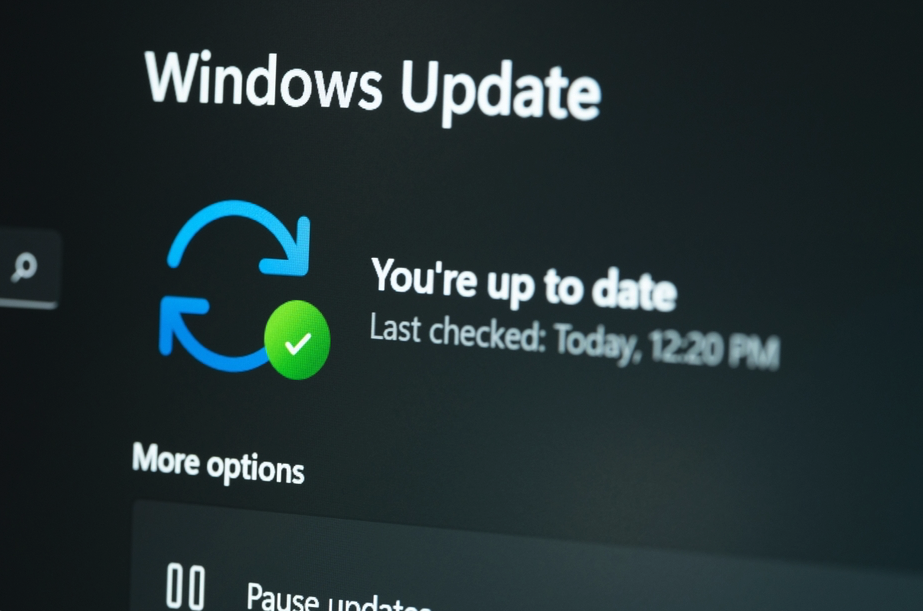
This Tech Tip outlines how system administrators can get started with automated continuous patching for their Windows devices and applications.
from Dark Reading https://ift.tt/0y2KNdz
via IFTTT
Businesses receive an invoice via email with a credit card charge and are asked to call a fake number and hand over personal information to receive a refund.
from Dark Reading https://ift.tt/ZfD6UsN
via IFTTT
Microsoft today released updates to fix at least 86 security vulnerabilities in its Windows operating systems and other software, including a weakness in all supported versions of Windows that Microsoft warns is actively being exploited. The software giant also has made a controversial decision to put the brakes on a plan to block macros in Office documents downloaded from the Internet.
In February, security experts hailed Microsoft’s decision to block VBA macros in all documents downloaded from the Internet. The company said it would roll out the changes in stages between April and June 2022.
Macros have long been a trusted way for cybercrooks to trick people into running malicious code. Microsoft Office by default warns users that enabling macros in untrusted documents is a security risk, but those warnings can be easily disabled with the click of button. Under Microsoft’s plan, the new warnings provided no such way to enable the macros.
As Ars Technica veteran reporter Dan Goodin put it, “security professionals—some who have spent the past two decades watching clients and employees get infected with ransomware, wipers, and espionage with frustrating regularity—cheered the change.”
But last week, Microsoft abruptly changed course. As first reported by BleepingComputer, Redmond said it would roll back the changes based on feedback from users.
“While Microsoft has not shared the negative feedback that led to the rollback of this change, users have reported that they are unable to find the Unblock button to remove the Mark-of-the-Web from downloaded files, making it impossible to enable macros,” Bleeping’s Sergiu Gatlan wrote.
Microsoft later said the decision to roll back turning off macros by default was temporary, although it has not indicated when this important change might be made for good.
The zero-day Windows vulnerability already seeing active attacks is CVE-2022-22047, which is an elevation of privilege vulnerability in all supported versions of Windows. Trend Micro’s Zero Day Initiative notes that while this bug is listed as being under active attack, there’s no information from Microsoft on where or how widely it is being exploited.
“The vulnerability allows an attacker to execute code as SYSTEM, provided they can execute other code on the target,” ZDI’s Dustin Childs wrote. “Bugs of this type are typically paired with a code execution bug, usually a specially crafted Office or Adobe document, to take over a system. These attacks often rely on macros, which is why so many were disheartened to hear Microsoft’s delay in blocking all Office macros by default.”
Kevin Breen, director of cyber threat research at Immersive Labs, said CVE-2022-22047 is the kind of vulnerability is typically seen abused after a target has already been compromised.
“Crucially, it allows the attacker to escalate their permissions from that of a normal user to the same permissions as the SYSTEM,” he said. “With this level of access, the attackers are able to disable local services such as Endpoint Detection and Security tools. With SYSTEM access they can also deploy tools like Mimikatz which can be used to recover even more admin and domain level accounts, spreading the threat quickly.”
After a brief reprieve from patching serious security problems in the Windows Print Spooler service, we are back to business as usual. July’s patch batch contains fixes for four separate elevation of privilege vulnerabilities in Windows Print Spooler, identified as CVE-2022-22022, CVE-2022-22041, CVE-2022-30206, and CVE-2022-30226. Experts at security firm Tenable note that these four flaws provide attackers with the ability to delete files or gain SYSTEM level privileges on a vulnerable system.
Roughly a third of the patches issued today involve weaknesses in Microsoft’s Azure Site Recovery offering. Other components seeing updates this month include Microsoft Defender for Endpoint; Microsoft Edge (Chromium-based); Office; Windows BitLocker; Windows Hyper-V; Skype for Business and Microsoft Lync; and Xbox.
Four of the flaws fixed this month address vulnerabilities Microsoft rates “critical,” meaning they could be used by malware or malcontents to assume remote control over unpatched Windows systems, usually without any help from users. CVE-2022-22029 and CVE-2022-22039 affect Network File System (NFS) servers, and CVE-2022-22038 affects the Remote Procedure Call (RPC) runtime.
“Although all three of these will be relatively tricky for attackers to exploit due to the amount of sustained data that needs to be transmitted, administrators should patch sooner rather than later,” said Greg Wiseman, product manager at Rapid7. “CVE-2022-30221 supposedly affects the Windows Graphics Component, though Microsoft’s FAQ indicates that exploitation requires users to access a malicious RDP server.”
Separately, Adobe today issued patches to address at least 27 vulnerabilities across multiple products, including Acrobat and Reader, Photoshop, RoboHelp, and Adobe Character Animator.
For a closer look at the patches released by Microsoft today and indexed by severity and other metrics, check out the always-useful Patch Tuesday roundup from the SANS Internet Storm Center. And it’s not a bad idea to hold off updating for a few days until Microsoft works out any kinks in the updates: AskWoody.com usually has the lowdown on any patches that may be causing problems for Windows users.
As always, please consider backing up your system or at least your important documents and data before applying system updates. And if you run into any problems with these updates, please drop a note about it here in the comments.
from Krebs on Security https://ift.tt/pwtZNIH
via IFTTT
Python’s most popular package manager is intent on securing the supply chain by requiring developers to enable two-factor authentication.
from Dark Reading https://ift.tt/MDt1wnV
via IFTTT
.
from Dark Reading https://ift.tt/A6xY8Ik
via IFTTT
.
from Dark Reading https://ift.tt/exuzoEC
via IFTTT
July’s security update included fixes for one actively exploited flaw, more than 30 bugs in Azure Site Recovery, and four privilege escalation bugs in Windows Print Spooler.
from Dark Reading https://ift.tt/6AEbCVU
via IFTTT
 Pacosite's Blog