
PayPal Phishing Scam Uses Invoices Sent Via PayPal

Scammers are using invoices sent through PayPal.com to trick recipients into calling a number to dispute a pending charge. The missives — which come from Paypal.com and include a link at Paypal.com that displays an invoice for the supposed transaction — state that the user’s account is about to be charged hundreds of dollars. Recipients who call the supplied toll-free number to contest the transaction are soon asked to download software that lets the scammers assume remote control over their computer.

KrebsOnSecurity recently heard from a reader who received an email from paypal.com that he immediately suspected was phony. The message’s subject read, “Billing Department of PayPal updated your invoice.”
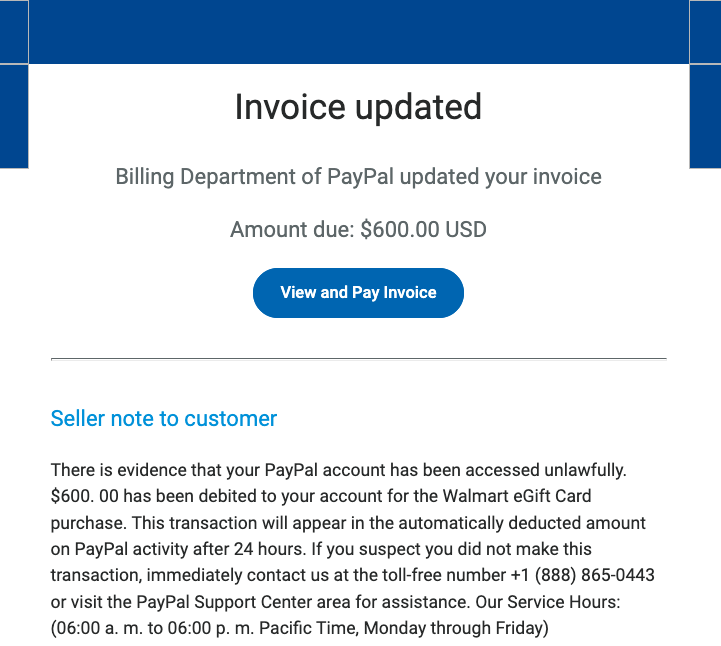
A copy of the phishing message included in the PayPal.com invoice.

While the phishing message attached to the invoice is somewhat awkwardly worded, there are many convincing aspects of this hybrid scam. For starters, all of the links in the email lead to paypal.com. Hovering over the “View and Pay Invoice” button shows the button indeed wants to load a link at paypal.com, and clicking that link indeed brings up an active invoice at paypal.com.

Also, the email headers in the phishing message (PDF) show that it passed all email validation checks as being sent by PayPal, and that it was sent through an Internet address assigned to PayPal.

Both the email and the invoice state that “there is evidence that your PayPal account has been accessed unlawfully.” The message continues:

“$600.00 has been debited to your account for the Walmart Gift Card purchase. This transaction will appear in the automatically deducted amount on PayPal activity after 24 hours. If you suspect you did not make this transaction, immediately contact us at the toll-free number….”

Here’s the invoice that popped up when the “View and Pay Invoice” button was clicked:
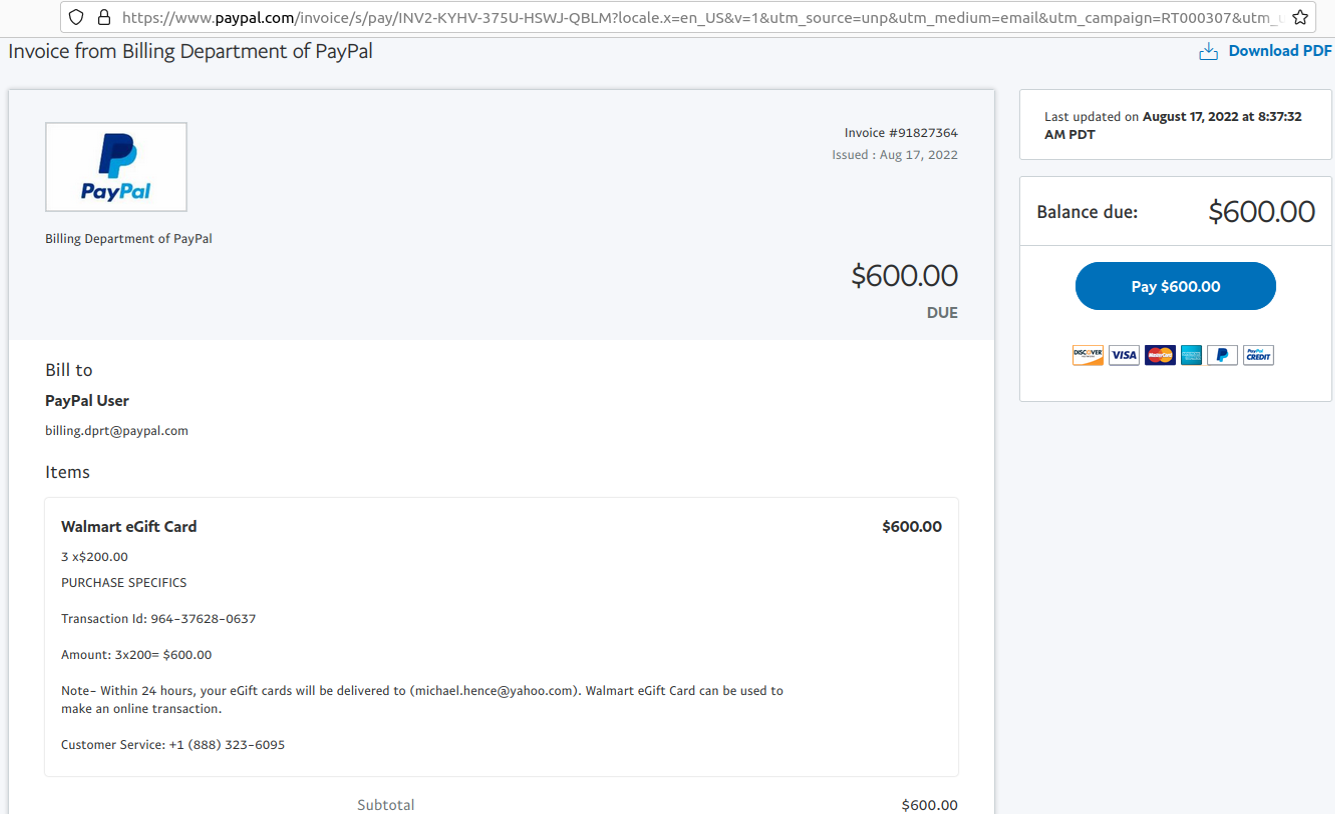
The phony PayPal invoice, which was sent and hosted by PayPal.com.

The reader who shared this phishing email said he logged into his PayPal account and could find no signs of the invoice in question. A call to the toll-free number listed in the invoice was received by a man who answered the phone as generic “customer service,” instead of trying to spoof PayPal or Walmart. Very quickly into the conversation he suggested visiting a site called globalquicksupport[.]com to download a remote administration tool. It was clear then where the rest of this call was going.

I can see this scam tricking a great many people, especially since both the email and invoice are sent through PayPal’s systems — which practically guarantees that the message will be successfully delivered. The invoices appear to have been sent from a compromised or fraudulent PayPal Business account, which allows users to send invoices like the one shown above. Details of this scam were shared Wednesday with PayPal’s anti-abuse (phish@paypal.com) and media relations teams.

It’s remarkable how well today’s fraudsters have adapted to hijacking the very same tools that financial institutions have long used to make their customers feel safe transacting online. It’s no accident that one of the most prolific scams going right now — the Zelle Fraud Scam — starts with a text message about an unauthorized payment that appears to come from your bank. After all, financial institutions have spent years encouraging customers to sign up for mobile alerts via SMS about suspicious transactions, and to expect the occasional inbound call about possibly fraudulent transactions.

Also, today’s scammers are less interested in stealing your PayPal login than they are in phishing your entire computer and online life with remote administration software, which seems to be the whole point of so many scams these days. Because why rob just one online account when you can plunder them all?

The best advice to sidestep phishing scams is to avoid clicking on links that arrive unbidden in emails, text messages and other mediums. Most phishing scams invoke a temporal element that warns of dire consequences should you fail to respond or act quickly. If you’re unsure whether the message is legitimate, take a deep breath and visit the site or service in question manually — ideally, using a browser bookmark to avoid potential typosquatting sites.

from Krebs on Security https://ift.tt/F4ZLxc9
via IFTTT
A step‑by‑step guide to enjoy LinkedIn safely

LinkedIn privacy settings are just as overwhelming as any other social media settings. There’s a lot of menus, a lot buttons to enable, select, accept or reject. To make sure you have control over your information we bring you a step-by-step guide on how to enjoy LinkedIn safely.

The post A step‑by‑step guide to enjoy LinkedIn safely appeared first on WeLiveSecurity

from WeLiveSecurity https://ift.tt/topKkiL
via IFTTT

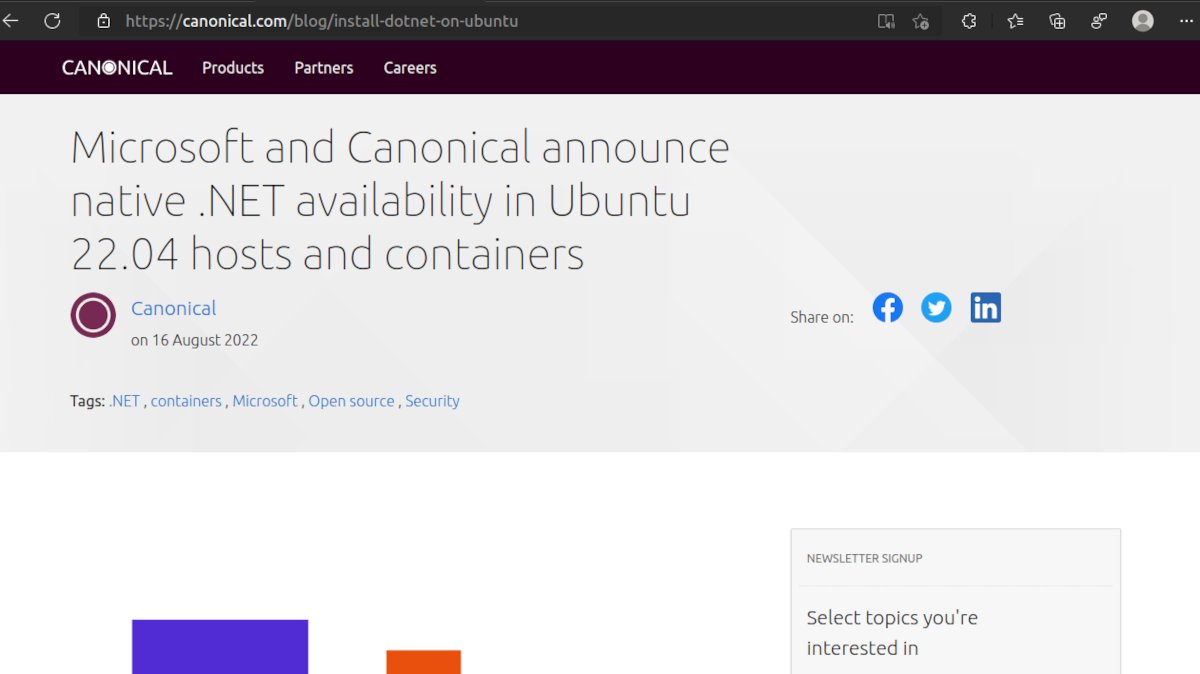
La plataforma de desarrollo .Net será nativa en Ubuntu 22.04

El anuncio del acuerdo de Canonical y Microsoft

La plataforma de desarrollo .Net podrá instalarse con un solo comando en las imágenes host y de contenedores de Ubuntu 22.04 según anunció Canonical en su blog. .Net fue, junto a al entorno integrado de desarrollo Visual Studio Code, una de las primeras contribuciones de Microsoft al mundo del código abierto luego que cambiara su actitud hacia este tipo de licencias bajo el mando de Satya Nadella.

Lejos de las teorías conspirativas que impulsa cierta parte de la comunidad, pero también de la inocencia de creer que se trata de un gesto de generosidad, la intención de Microsoft es simplemente la de no perder más programadores a manos de los productos de Google, Amazon o Facebook que han optado por hacer de código abierto sus desarrollos de lenguajes y herramientas de programación.

El acuerdo

La medida también tiene sentido para Canonical. No solo es una de las distribuciones Linux preferida por programadores profesionales, también la consolida en el ámbito corporativo ya que el acuerdo con Microsoft incluye el poder brindar soporte sobre .Net así como obtener las actualizaciones y parches de seguridad ni bien se liberan.

Curiosamente, la instalación se hace desde el gestor de paquetes tradicional en formato DEB en lugar de hacerlo en Snap ¿Estaremos en las vísperas de uno de los tradicionales cambios de idea de Shuttleworth o será una exigencia de Microsoft para que Debian y distribuciones derivadas también puedan instalarlo?

De todas formas, kos usuarios y desarrolladores de .NET 6 que usan Ubuntu 22.04 ya pueden instalar los paquetes de .NET 6 con un simple comando. Si lo prefieren, también cuentan con imágenes de contenedores optimizadas, pre-construidas y ultra pequeñas listas para usar.

Como dijimos anteriormente, no se trata de tomar el código .NET y empaquetarlo para Ubuntu como ya se hace con otras distribuciones. Microsoft interviene activamente en todo el proceso.

Richard Lander, director de programa de .Net lo explica de esta forma:

Trabajar con Canonical nos ha permitido ofrecer simultáneamente facilidad de uso y mejora de la seguridad a los desarrolladores de .NET. El proyecto se beneficia del liderazgo de Canonical en el ecosistema Linux y de la profunda experiencia de Microsoft en herramientas y plataformas de desarrollo. El resultado es una combinación de paquetes DEB e imágenes de contenedor que beneficiará tanto a los desarrolladores de la comunidad como a los grandes clientes empresariales a través del código abierto.

Por Canonical quien habló fue su director de Producto, Valentin Viennot:

Ubuntu cuenta ahora con una historia de principio a fin, desde el desarrollo hasta la producción, con imágenes de contenedor soportadas por ultra-redes, empezando por la plataforma .NET Creemos que es una gran mejora para nuestras dos comunidades; la colaboración con el equipo de .NET en Microsoft nos ha permitido ir más allá.

Las actualizaciones

Desde Canonical aclararon el tema de las diferentes fechas de actualizaciones de las versiones extendidas de Ubuntu y .Net. La LTS de .NET se lanza en noviembre de los años impares y la LTS de Ubuntu se lanza en abril del siguiente año par. Según ellos esto garantiza que los usuarios siempre tendrán la versión más actual de .Net en cada LTS

Qué es la plataforma de desarrollo .Net

Es un conjunto de tecnologías para el desarrollo de aplicaciones y servicios web de manera independiente del sistema operativo.

Cómo instalarlo en Ubuntu

Instalación de todo el entorno
sudo apt update && sudo apt install dotnet6
Instalación de herramientas para programar o ejecutar aplicaciones.
sudo apt install dotnet-sdk-6.0
sudo apt install dotnet-runtime-6.O
sudo apt install aspnetcore-runtime-6.0

También es posible descargar imágenes OCI (Que siguen el estándar de la Open Container Initiative)

Estas imágenes están compuestas únicamente por el conjunto estricto de paquetes y archivos necesarios en tiempo de ejecución. Según afirman en Canonical, este proceso ha recortado 100MB, entregando la imagen OCI basada en Ubuntu más pequeña jamás publicada con menos de 6MB (comprimida).

Todos los enlaces de descarga pueden encontrarse en esta página.

from Linux Adictos https://ift.tt/Tdvteoy
via IFTTT